A thoughtful home office upgrade can make daily work feel a little smoother, whether someone is refining a shared workspace or settling into a dedicated desk.
These nine picks cover desk comfort, connectivity, audio, and organization, with options for focused calls as well as a more flexible setup.
9 Home Office Tech Gift Ideas for Remote Workers
Nulaxy Pull-Out Adjustable Laptop Stand

- Adjustable height and tilt let the user angle a laptop for visual comfort.
- The stand raises the screen from 1.2 to 20 inches.
- It folds for storage and portability.
Best Gift For: A remote worker who would appreciate a laptop setup that adjusts between sitting and standing.

HUANUO FlowLift Single Monitor Mount

- Fits monitors from 13 to 32 inches and supports specified VESA patterns.
- The screen can tilt, swivel, and rotate for positioning.
- Choose between a clamp or grommet mounting option.
Best Gift For: Someone building a monitor-based workstation with a compatible screen and desk.
SABRENT 5-in-1 USB-C Hub
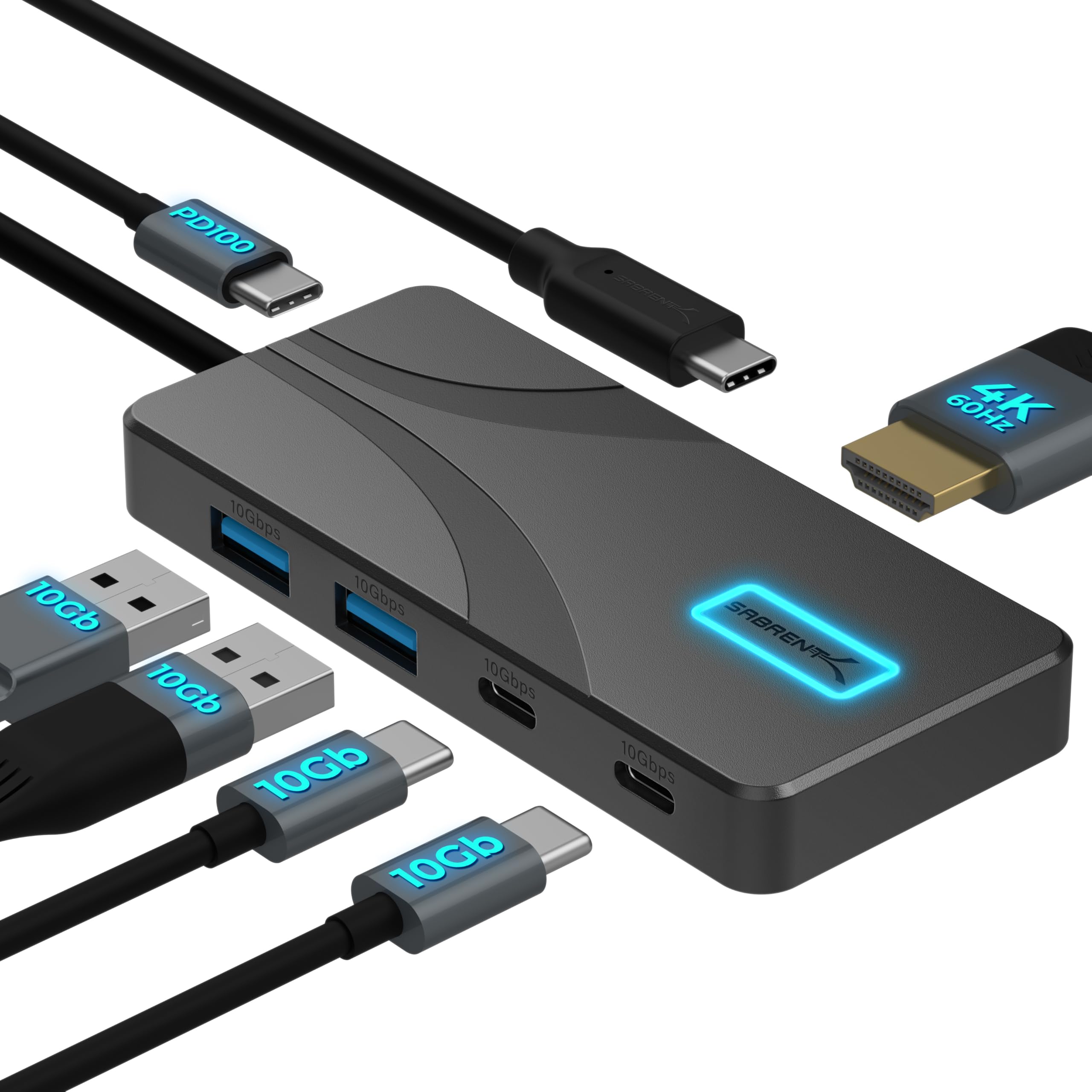
- Connect a compatible display over HDMI at up to 4K and 60Hz.
- Four data ports support USB-A and USB-C peripherals.
- The hub can pass up to 80 watts to a laptop when paired with a USB-C PD charger.
Best Gift For: A laptop or tablet user whose USB-C device supports the hub's display output.
BESTEK PD20W Power Strip Tower
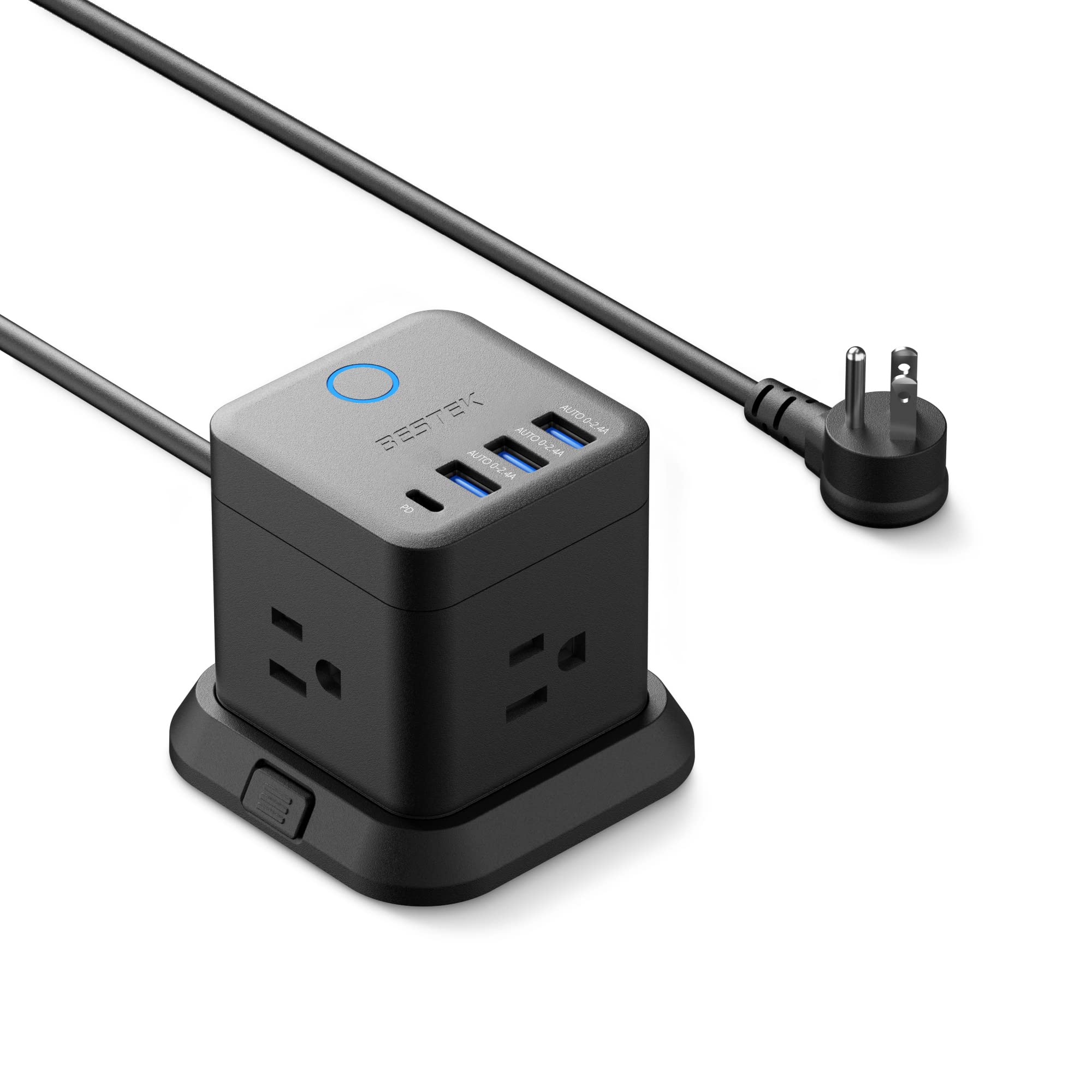
- It combines three outlets with USB-A and USB-C charging ports.
- The cube can be mounted on a desk, under a table, or on a wall.
- Its flat plug is designed to fit narrow spaces.
Best Gift For: A desk worker who wants several charging connections gathered in one accessible spot.
TP-Link BE6500 WiFi 7 Router (BE400)
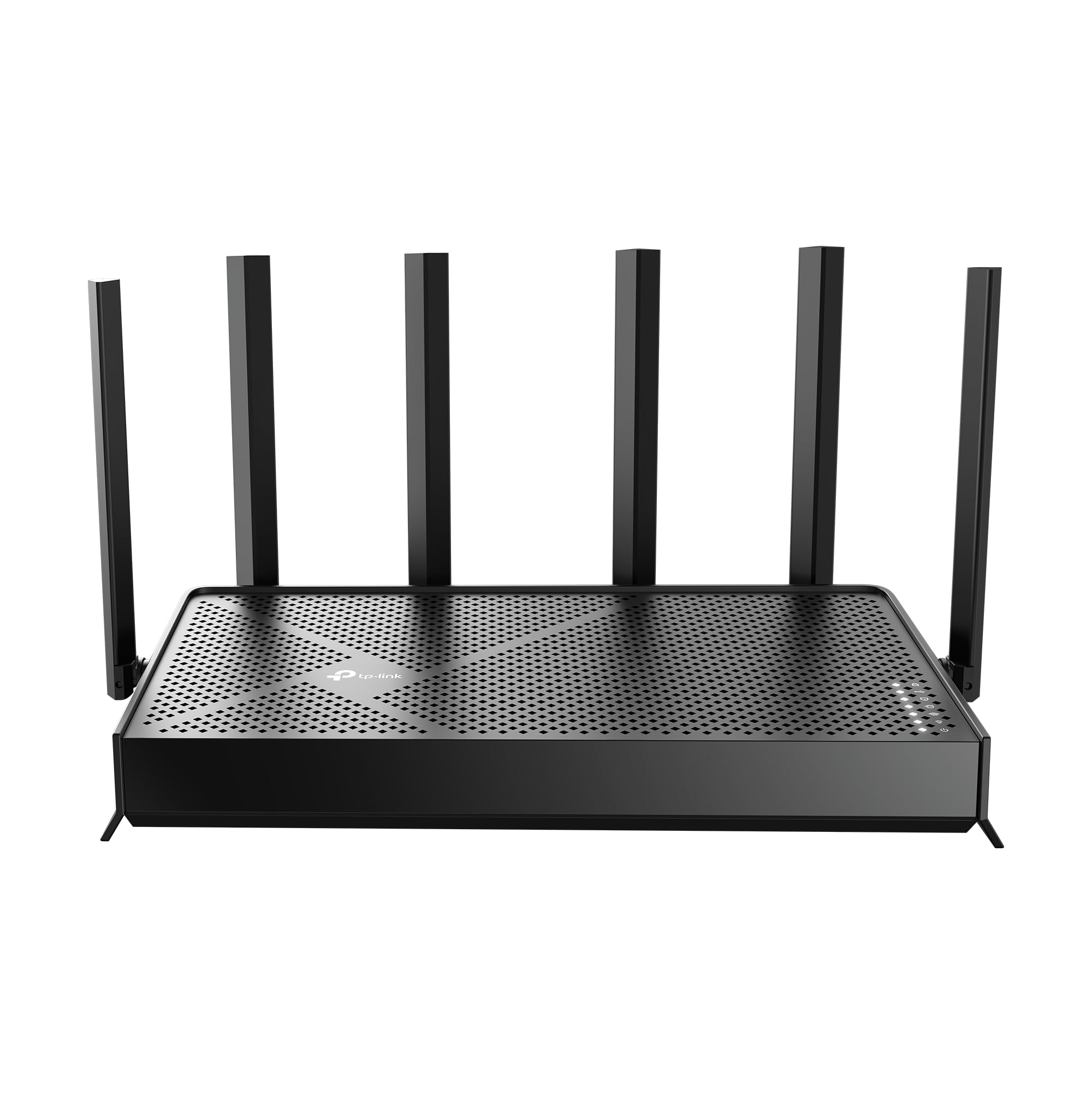
- Wi-Fi 7 features include Multi-Link Operation and Multi-RUs.
- The router supports up to 2,400 square feet of coverage for up to 90 devices.
- Network settings can be managed through an app or web interface.
Best Gift For: Someone who wants to refresh the home network used by work and household devices.
Nylavee Computer Speakers with 6 Lighting Modes

- Touch controls offer six lighting modes.
- A single knob controls power and volume.
- The speakers connect through USB for power and a 3.5mm audio cable.
Best Gift For: A desktop user who enjoys audio and customizable lighting at their workstation.
JLab Go Work Wireless Headset (1 Pack)

- Bluetooth multipoint connects the headset to two devices at once.
- It includes a USB-C to 3.5mm cable for wired use.
- The boom microphone rotates up for listening and down for calls.
Best Gift For: Someone who moves between laptop and mobile calls during the workday.
FIFINE K669B USB Condenser Microphone

- The USB microphone includes a 5.9-foot cable for computer connection.
- A volume knob lets the user adjust output or turn it to zero.
- The cardioid condenser microphone captures voice and reduces background noise.
Best Gift For: A remote worker who wants a dedicated microphone for meetings, voice chats, or recording.
Phomemo D30 Bluetooth Label Maker with 3 Tapes
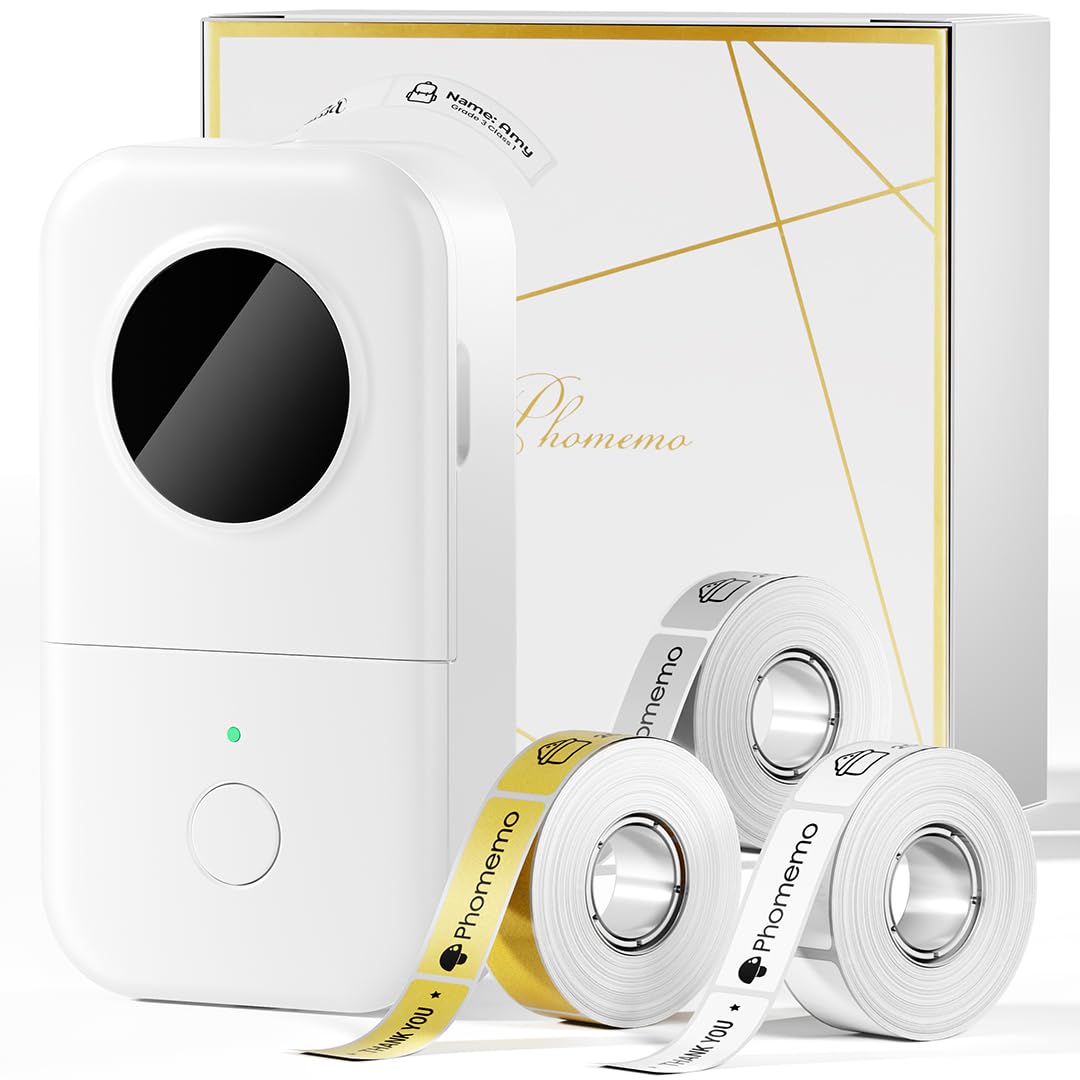
- The package includes one white, one gold, and one clear tape.
- Its thermal printing works without ink, toner, or ribbons.
- The label maker connects wirelessly through Bluetooth to mobile devices.
Best Gift For: A desk organizer who likes labeling files, cables, and personal supplies.
Choosing home office tech gifts for their workday
Start with the moments that cause small daily annoyances. A laptop that sits too low, a monitor that crowds the desk, or a tangle of peripherals points toward a different kind of upgrade.
For home office tech gifts, ask how the recipient works before choosing a device.
Think about the workspace they already have. A monitor mount needs a compatible display and a desk that can accept its mounting hardware, while a laptop accessory should suit the device and the available surface.
When you are unsure, check the recipient’s model and setup discreetly.
A call-heavy schedule may make audio gear a more personal choice than another general-purpose accessory. Consider whether the person moves between devices, takes meetings in a shared room, or needs a quieter way to connect with colleagues.
Their routine gives the gift a clear purpose.
Balance the upgrade with the budget
A useful gift does not need to transform an entire office. Smaller accessories can solve one recurring inconvenience, while larger network or display changes may make more sense when the recipient has already identified a specific need.
Set a comfortable spending limit before comparing options.
For home office tech gifts, consider the full setup cost. A hub may need a compatible charger or device, and workspace hardware may call for additional planning.
Check the actual current price and what is included before deciding whether an item fits the budget you have in mind.
If the price of a larger upgrade feels uncertain, pair a modest practical item with a handwritten note explaining why you chose it. A focused, well-matched present can feel more thoughtful than an ambitious purchase that does not suit the recipient’s desk.
Personalize home office tech gifts
Personalization starts with noticing how someone works. A colleague who keeps cables and supplies sorted may appreciate a different kind of desk helper than a person who spends much of the day on calls.
For home office tech gifts, connect the item to a habit you have seen rather than to a broad job title.
You can make a practical present feel personal through presentation. Wrap a small accessory with a note naming the particular workday problem it might help solve, or include a simple desk treat that does not depend on device compatibility.
Keep the message warm and specific without implying the recipient needs to change their setup.
For a shared household workspace, consider the people who may also use the desk or network. A gift that supports a common routine can be welcome, but it is helpful to make clear who you had in mind and leave room for them to choose when to set it up.
Make the setup easy to enjoy
Before buying, verify compatibility against the recipient’s actual equipment. Check connector types, device support, monitor size and mounting pattern, desk clearance, and available power.
Product names can sound similar while the details that matter for a particular setup differ.
Dimensions matter in compact workspaces. Look at the available desk area and where cables or plugs need to reach, then compare those needs with current product information.
If the gift affects networking, display output, or charging, check compatibility with the devices already in use.
A short note can make an unfamiliar accessory less daunting: mention what prompted the choice and offer to help with setup if that would be welcome. Avoid opening packaging or changing settings on someone else’s equipment unless they have asked you to.
Last-minute home office tech gifts
When time is short, choose a gift with a clear fit and an easy-to-understand purpose. A desk accessory tied to a known routine is often simpler to select than equipment that depends on several compatibility details.
Keep the recipient’s current workspace in mind, even when shopping quickly.
Check the actual delivery estimate and return terms before placing an order, since timing and availability can change. If delivery is uncertain, a printed card with a clear description of the planned gift gives you something thoughtful to present on the occasion without promising an arrival date.
For a last-minute choice, you can also give a small practical item in person and invite the recipient to choose a larger upgrade together later. That approach preserves the surprise while letting them confirm the details of their desk, devices, and preferred setup.